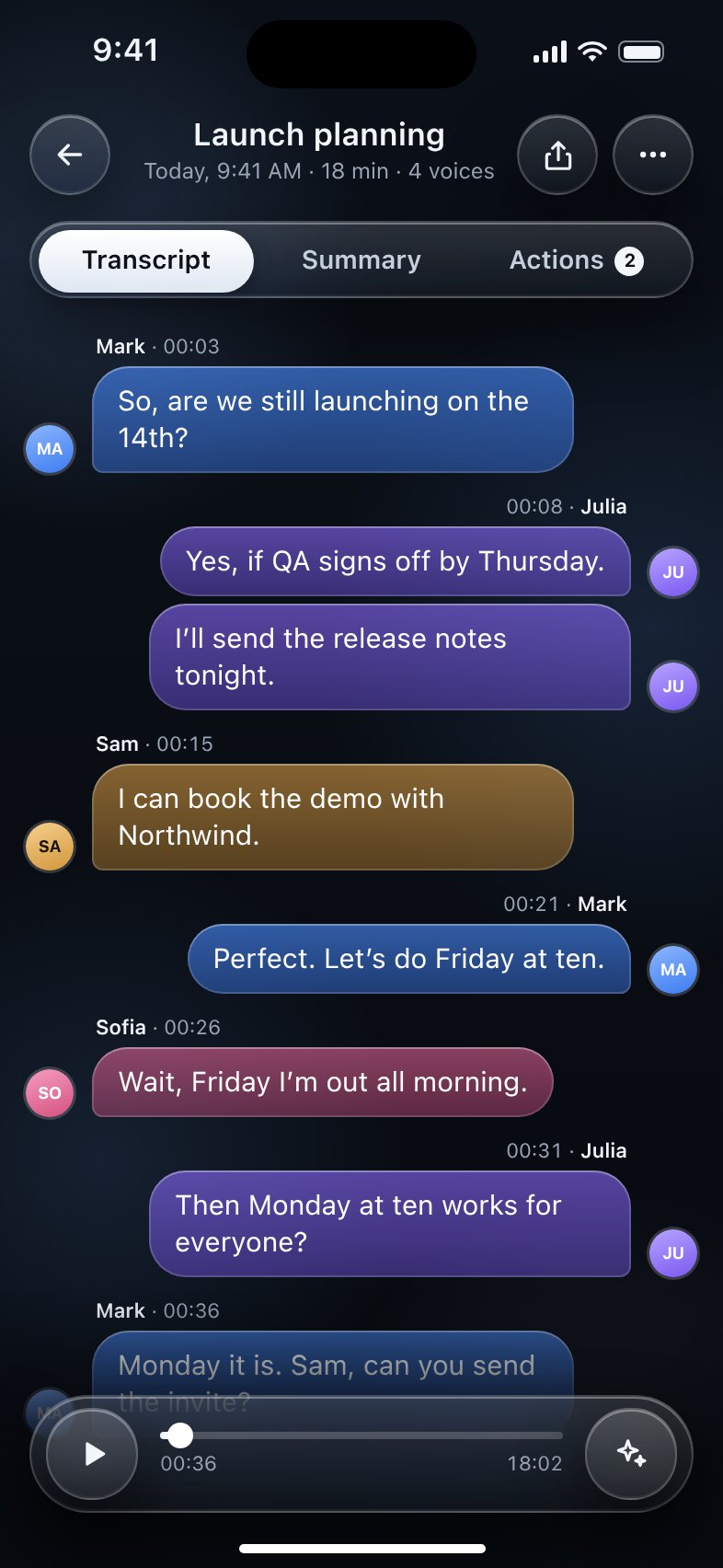
Who said what.
Up to 8 voices, split into bubbles. Name a voice once and voqira recognizes it in every new recording.
 voqira
Download
voqira
Download
voqira records meetings, calls and chats, tells who said what and leaves you the summary. All on your iPhone.
Download on theApp StoreFor iPhoneNo accountNothing leaves your phone
Works wherever you write
Add the voqira keyboard, tap and talk. Your words land in any app with the right punctuation, transcribed on your phone.
Up to 8 voices, split into bubbles. Name a voice once and voqira recognizes it in every new recording.
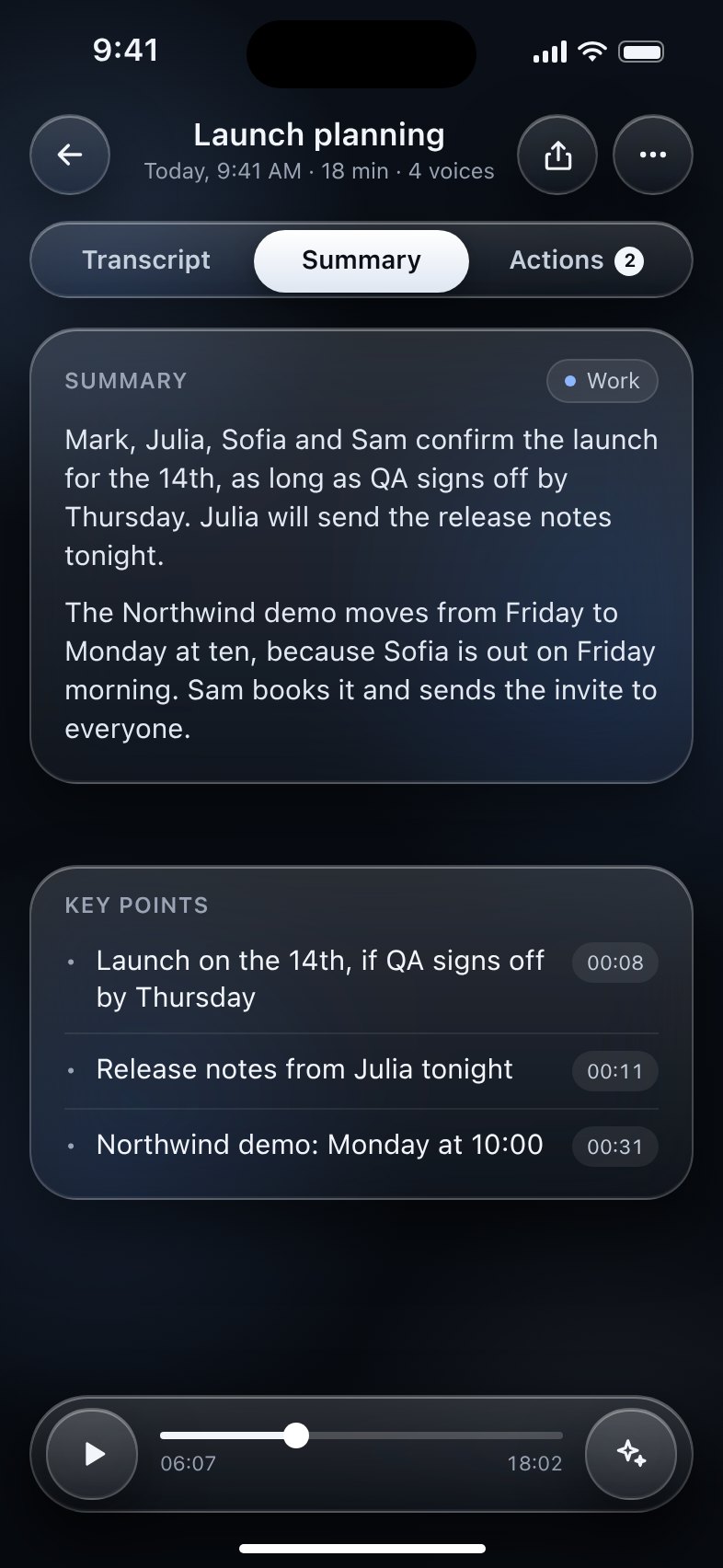
Key points with the moment each was said, plus events and reminders ready to add.
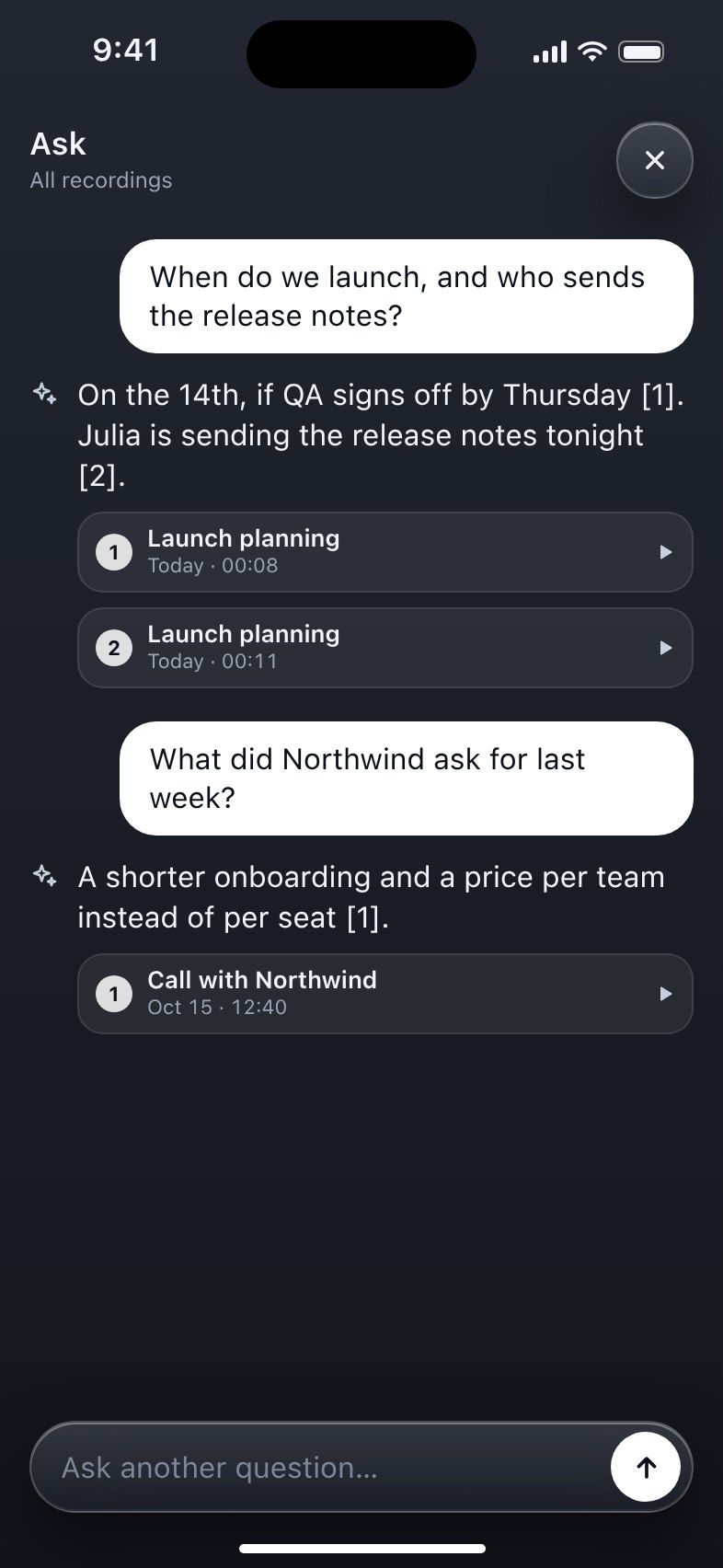
“What did Northwind ask for last week?” Answers from all your conversations, with the source.
Voice memos, podcasts, calls: share them to voqira and it transcribes them.
When you dictate, it follows your voice and ignores the room.
Markdown notes with the audio, in Files or your vault. Export to Word, SRT and VTT.
Transcription, voices, summaries and search run on your iPhone’s chip, with Apple Intelligence and advanced on-device models. We don’t know what you record.
Free trial
€0
14 days with everything unlocked. Cancel anytime.
Yearly
€9.99
Per year, renews automatically.
Forever
€29.99
One purchase, yours for good.
Prices in euros for Italy. The App Store shows the price for your country. Payments are handled by Apple.
Yes. The first time you open it, voqira downloads its models, about 1.1 GB on Wi‑Fi. Then you record, transcribe, summarize and search even in airplane mode.
No. They stay on your iPhone, in the folder you choose. We have no servers.
An iPhone with iOS 17 or later. With Apple Intelligence, summaries work right away; on other iPhones you download a model in Settings.
iOS doesn’t let keyboards use the microphone. Full Access lets the keyboard talk to the voqira app on your iPhone. It sends nothing online and doesn’t read what you type.
Yes. Every recording is a Markdown note with its audio next to it: pick your vault as the recordings folder.
iOS Settings › your name › Subscriptions › voqira. You pay nothing during the free trial.
Try it free for 14 days. No account to create.
Download on theApp Store